Install ON Comms Tally
Put ON Comms Tally on a Mac or Windows computer at the venue, on the same network as your vision mixer. It reads the mixer’s tally and sends it to your talkback over the internet, so your operators’ screens turn red and green.
- Takes about
- 5 minutes
- You need
- A Mac (macOS 13.5 or later) or a Windows PC (Windows 10 version 1809 or later, 64-bit) at the venue
- That computer on the same network as your vision mixer, with internet access
- Your server open in Admin (how to open it)
In your server’s Admin, go to Downloads. Under Venue apps, find ON Comms Tally.
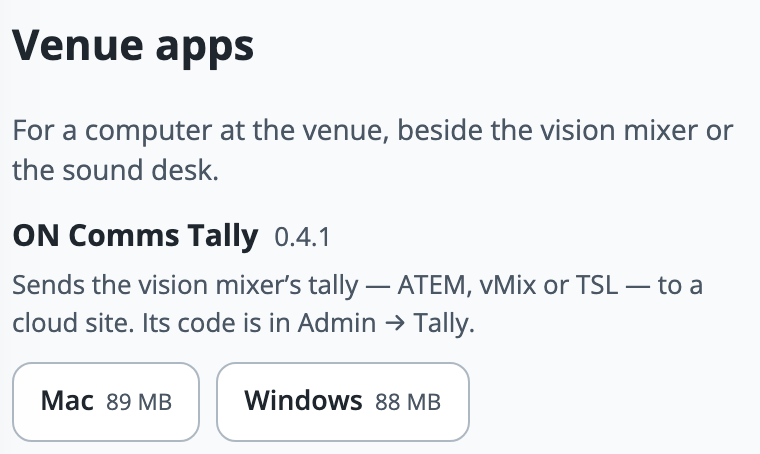
Press Mac or Windows to download it, on the venue computer if you can. A Mac gets a disk image, and Windows gets an installer.
On a Mac, open the disk image and drag ON Comms Tally onto Applications. Then open it from Applications.
The first time on a Mac, macOS will not open it, because the app is not yet signed with an Apple Developer ID. Try to open it, then go to System Settings, then Privacy & Security, and press Open Anyway.
On Windows, run the installer. It installs for everyone on the PC, so Windows asks for an administrator’s permission once.
If Windows says it protected your PC, choose More info, then Run anyway. The installer is not signed yet, so Windows asks the first time.
On the last page of the Windows installer, leave Open ON Comms Tally ticked and press Finish.
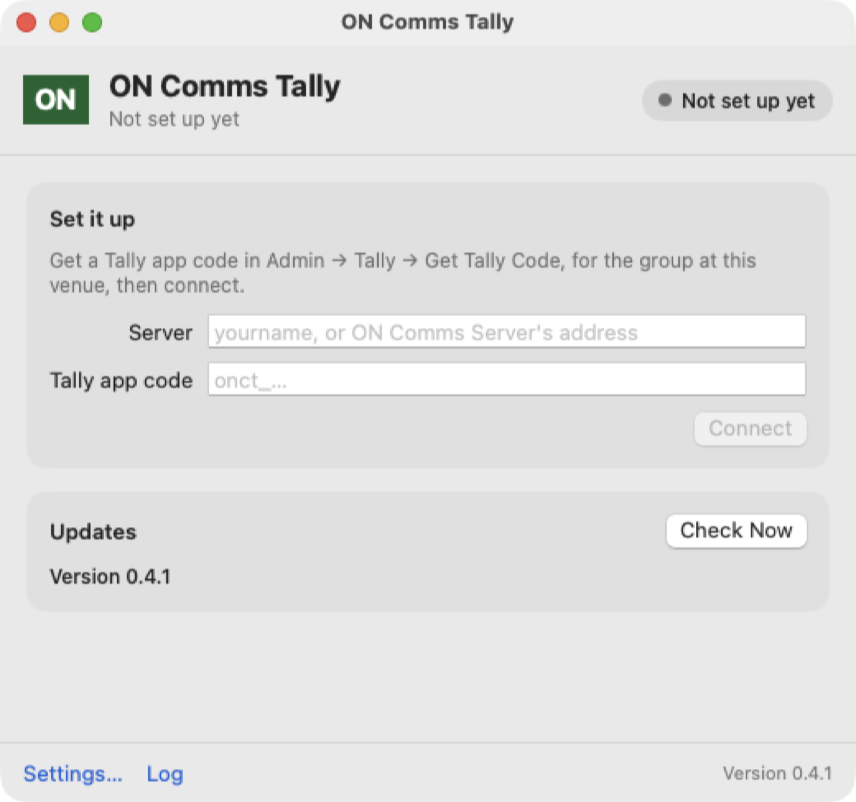
The app opens on Set it up, with boxes for your server and your Tally app code (the picture is a Mac, and Windows shows the same card). Next, connect it with your Tally code.
If it doesn’t work
You cannot find ON Comms Tally on the website’s Downloads page
The website’s Downloads page lists the apps for your crew only. ON Comms Tally is in your server’s Admin, under Downloads, in Venue apps.
The Windows installer says it needs 64-bit Windows 10
ON Comms Tally needs 64-bit Windows 10 version 1809 or later. Use another computer, or update Windows.
The Windows installer says Windows would not open its firewall
ON Comms Tally is installed. If a truck will send TSL tally to this PC, allow ON Comms Tally through Windows Defender Firewall by hand. For an ATEM or vMix it makes no difference, because ON Comms Tally connects out to them.
Nothing happens when you open it again, or you cannot find its window
Only one copy runs on a computer, and opening it again brings the window that is already running to the front. Closing the window does not stop it: look for the green ON in the menu bar on a Mac, or beside the clock on Windows (under Show hidden icons at first).
Stuck on a step?
Write to support@oncommstalkback.com with the page you are on and what your screen says. Or book a walkthrough, and we will go through it with you.