Add a switcher: TSL UMD
Take camera tally from a truck’s tally system, TSL UMD, sent by TallyMan or the vision mixer. ON Comms listens like one more display on the truck, and never sends anything back.
- Takes about
- 10 minutes
- You need
- ON Comms Tally running on a computer on the truck’s network, connected with your code
- A fixed address for that computer, or a reservation on the router, because the truck sends to a set address
- The TSL version the truck sends (3.1, 4.0 or 5.0), from its tally engineer
- Your site’s Admin (how to open it)
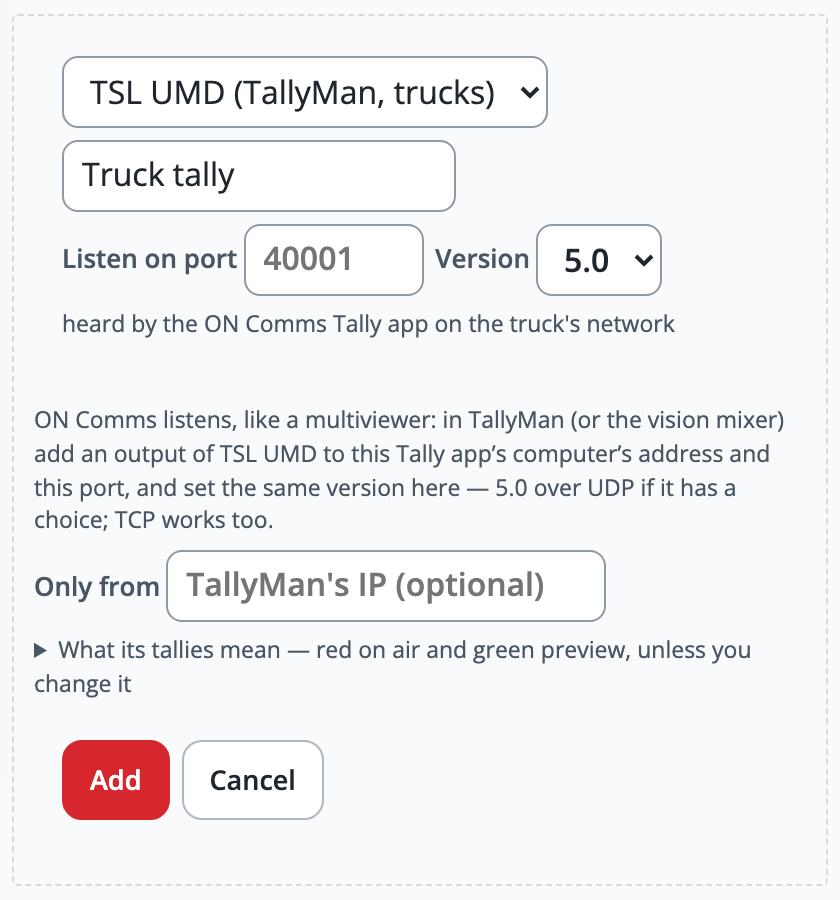
In your site’s Admin, go to Tally, find the group and press Add a switcher. Choose TSL UMD (TallyMan, trucks) and give it a name, such as Truck tally.
Leave Listen on port empty to use 40001, or type another from 1024 up. Choose the Version the truck sends, which is 5.0 unless its tally engineer says otherwise, and press Add.
The switcher’s line now says waiting for TSL, and tells you where to send: this computer’s address and the port.
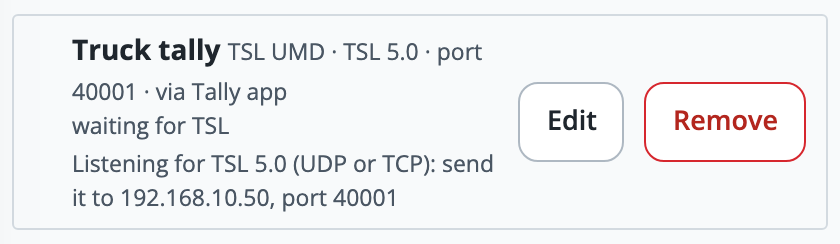
In TallyMan, or the vision mixer’s TSL settings, add an output to that address and port, as you would for a multiviewer. Choose 5.0 over UDP if it offers a choice, with the same version as in Admin.
On a Windows PC the installer has already opened the firewall for ON Comms Tally. If a Mac with its firewall on asks whether ON Comms Tally may accept incoming connections, choose Allow.
Make one cut at the truck. The line changes to last message and a time, with what is on air, and What arrives for each display lists every display it hears.
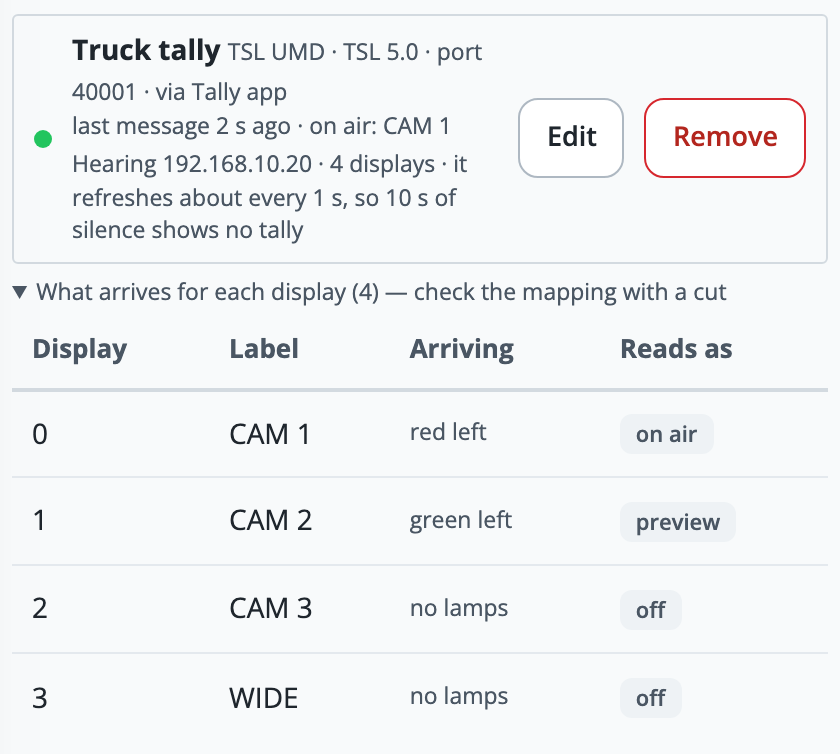
If a camera reads wrongly, press Edit and find What its tallies mean. Change which colour (4.0 and 5.0) or which tally number (3.1) counts as on air and preview: a Ross switcher sends preview on tally 1 and program on tally 2.
Give each operator a camera, by the truck’s own label. Displays are numbered from 0.
If it doesn’t work
It stays on “waiting for TSL”
Nothing is arriving. Check that the truck’s output uses the address and port the line gives, that its version matches, that it is on the same network, and that the computer’s firewall allows ON Comms Tally.
It says “What arrives looks like TSL 3.1, but this switcher is set to 5.0”
The truck sends another version than the switcher is set to. Press Edit, choose the version the message names, and press Save. ON Comms never guesses the version, because reading one version as another could light a camera that is not on air.
It says “TSL is arriving from …, which is not in this switcher’s only from list”
The Only from box in Edit does not include that sender. Add its address (up to 16), or empty the box to accept any sender.
It says “Port 40001 (UDP) is already in use on this computer”
Another program on this computer is listening there. Press Edit and choose another port, then give the truck the new one, or close the other program.
It says “a TSL port must be 1024–65535” or “port … is one ON Comms uses itself”
Choose a port from 1024 up that ON Comms does not use itself, such as 40001.
A camera reads no tally
ON Comms shows no tally rather than guessing: for a display it has not heard about, and when a truck that refreshes its displays goes quiet. Check that the truck is still sending, and that the camera is on a display in the list.
Stuck on a step?
Write to support@oncommstalkback.com with the page you are on and what your screen says. Or book a walkthrough, and we will go through it with you.