Add a switcher: vMix
Take camera tally from vMix. On a cloud site, ON Comms Tally at the venue reads vMix over its TCP API and sends its tally to your talkback.
- Takes about
- 5 minutes
- You need
- ON Comms Tally running at the venue, connected with your code, on the same network as vMix
- vMix running, with its TCP API reachable on port 8099
- The IP address of the computer running vMix
- Your site’s Admin (how to open it)
In vMix, the TCP API listens on port 8099, and ON Comms uses that port unless you type another. Its settings are under Settings, then Web Controller.
In your site’s Admin, go to Tally, find the group and press Add a switcher.
Choose vMix and give it a name. Type the IP address of the computer running vMix, or 127.0.0.1 if ON Comms Tally runs on that same computer.
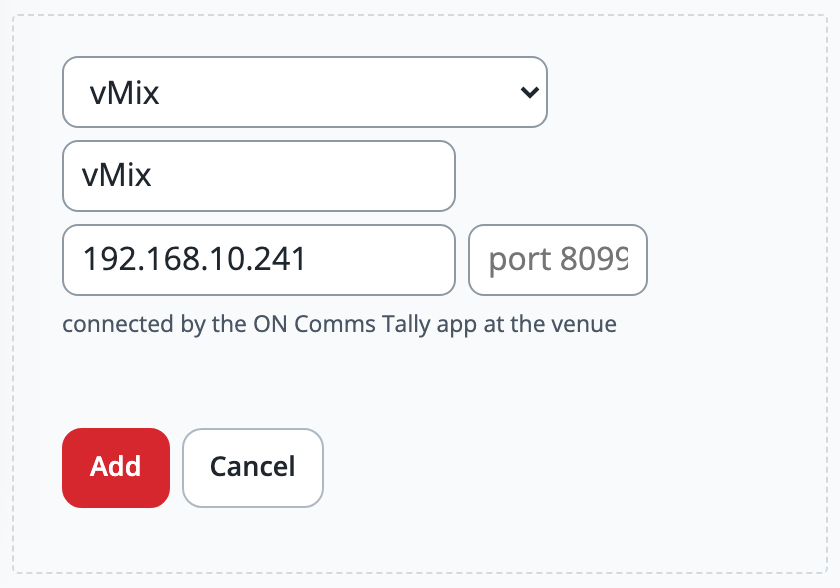
Leave the port box empty to use 8099, and press Add.
Within a few seconds the switcher shows a green dot and connected, with how many inputs vMix has and which are on air.
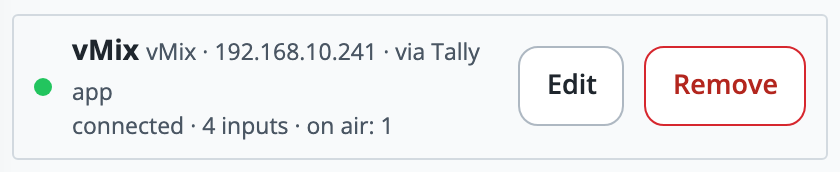
Cut to another input in vMix. The numbers after on air change with it.
Give your inputs names in vMix: ON Comms shows them when you give each operator a camera.
If it doesn’t work
It says “vMix is not answering on …”
Check that vMix is running, that its TCP API can be reached on port 8099 (its settings are under Settings, then Web Controller), and that the address is the computer running vMix. Press Edit to correct the address.
It says “Cannot reach vMix at …”
ON Comms Tally cannot reach that computer. Check the address, and that it and vMix’s computer are on the same network.
It says “… is not vMix” or “… is sending something that is not vMix tally”
Something other than vMix’s TCP API is answering at that address and port. Check the address, and press Edit and empty the port box so it uses 8099.
It says “waiting for the ON Comms Tally app”
Nothing is sending this group’s tally. Open ON Comms Tally at the venue and check that it says Sending tally, to this group: see Connect it with your Tally code.
Stuck on a step?
Write to support@oncommstalkback.com with the page you are on and what your screen says. Or book a walkthrough, and we will go through it with you.