What the colours mean
The colour of an operator’s screen is their camera’s tally: red when it is on air, green when it is on preview. This page says what each state looks like, and what NO TALLY means.
- Takes about
- 2 minutes
- You need
- An operator with a camera (Give each operator a camera), and a switcher that is connected
When the operator’s camera is on air, the whole screen turns red, and the strip at the top shows the camera’s name and ON AIR.

When it is on preview, ready to be cut to, the whole screen turns green, and the strip says PREVIEW.
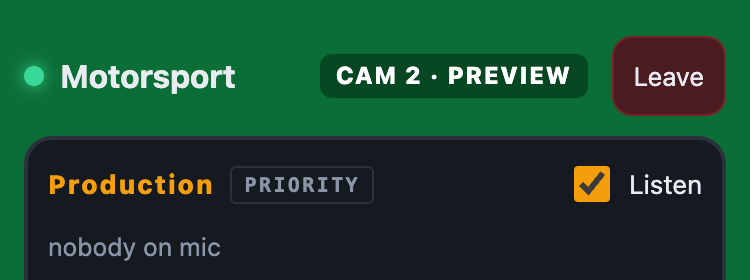
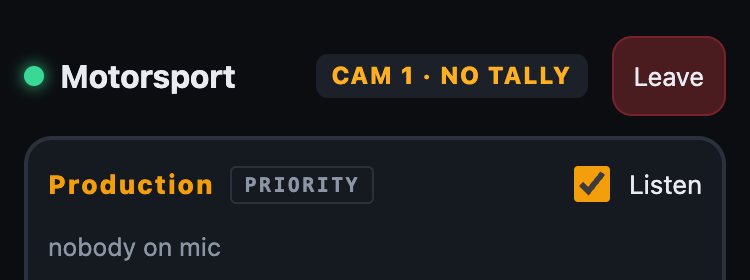
When it is neither, the screen keeps its usual look, and the strip shows the camera’s name on its own. An operator with no camera has no strip at all.
When ON Comms cannot tell, the strip is amber and says NO TALLY, and the screen is not coloured. It shows no tally rather than a colour that might be wrong.
In Admin, the Tally tab shows the same four states beside each person: on air, preview, off and no tally.
ON Comms Tally’s window shows each camera as a key, red when it is on air and green when it is on preview.
If it doesn’t work
The strip says NO TALLY
ON Comms cannot tell what the switcher is doing. ON Comms Tally may have stopped or lost its internet (operators see NO TALLY within about 20 seconds), the switcher may not be answering, or the operator’s own connection may have dropped. The switcher’s line in Admin → Tally gives the reason.
The screen never turns red or green
The operator may have no camera, or one on a different input than you meant. In Admin → Tally, the Tally column beside their name should change when the switcher cuts.
Two cameras are red at once
With an ATEM, a camera keyed over the programme, or part-way through a transition, reads as on air.
A camera shows the wrong colour with TSL
What each colour or tally number means is the truck’s choice, so it is a setting: see Add a switcher: TSL UMD.
Stuck on a step?
Write to support@oncommstalkback.com with the page you are on and what your screen says. Or book a walkthrough, and we will go through it with you.