Stream Deck and Companion
Talk from a Stream Deck key, through Bitfocus Companion. Each key sends a short web request that opens or closes one line on a person’s open talk panel.
- Takes about
- 5 minutes
- You need
- Bitfocus Companion on a computer with internet access, and a Stream Deck or another Companion surface
- Your server open in Admin (how to open it)
- The person’s talk panel open and connected to a group, whenever you use the key
In Admin, go to Users and find the person the Stream Deck is for. Each person has a key of their own, so a Stream Deck talks for one person.
Press Copy beside their Stream Deck key to copy it: on a phone, scroll the list sideways first. Show reveals it, and Hide covers it again.
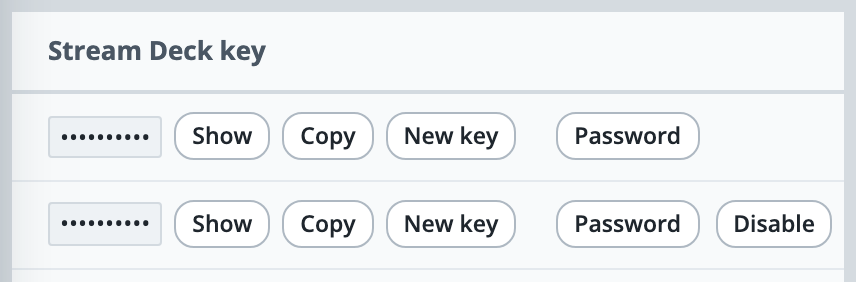
Keep the key private. Anyone who has it can open that person’s line from anywhere while their talk panel is open.
In Companion, open Connections and add the HTTP Requests module from Generic. You do not need to change its settings.
On a button, add a POST action from that connection, under Press actions. Set URL to https://yourname.oncommstalkback.com/api/ptt, using your own server name.
Set Body to {"pl":"prod","state":"on"}. Use the line’s Track name from Groups instead of prod, or all for every line the person can talk on.
Set header input(JSON) to {"X-PTT-Key":"your key"}, pasting the person’s key in place of your key. Leave Content Type as application/json.
For hold to talk, add a second POST under Release actions, with the same address and header and the body {"pl":"prod","state":"off"}. For a key that switches the line on and off with each press, use toggle instead of on, and add nothing under Release actions.
If it doesn’t work
Nothing happens when you press the key
The key works the person’s open talk panel, so that panel must be open and connected to a group with that line. Mic on it must not be muted, and the person must have T on the line (Who can talk or listen). A Track name spelt wrongly is not refused, and nothing happens, so check it against the Track column in Groups.
A key has got out, or a Stream Deck has changed hands
Press New key beside that person’s key in Users, and confirm. The old key stops working at once, so put the new one into the header of each of their Companion buttons. Only the owner can give the owner’s own account a new key.
Companion says the request failed with 401
The key was not recognised. Copy it again from Users, taking care not to leave a space or a quote mark around it. A person you have deleted or disabled has no working key, and a key replaced with New key stops working.
Companion says 400, or that the body or header is malformed
The line must be written as a Track name is, in lower-case letters, digits and hyphens, or be all, and the state must be on, off or toggle. The body and header must be valid JSON, with straight double quotes.
The line stays open after you let go
The button has only a Press action. Add the Release actions POST with off, or use toggle. Tapping the line’s key on the panel also closes it.
Stuck on a step?
Write to support@oncommstalkback.com with the page you are on and what your screen says. Or book a walkthrough, and we will go through it with you.